YouTube Thumbnail Size 2026: Best Dimensions, File Limits, and Pro Tips
If you want more clicks, your thumbnail matters — a lot. The good news: the “best” thumbnail specs are simple.
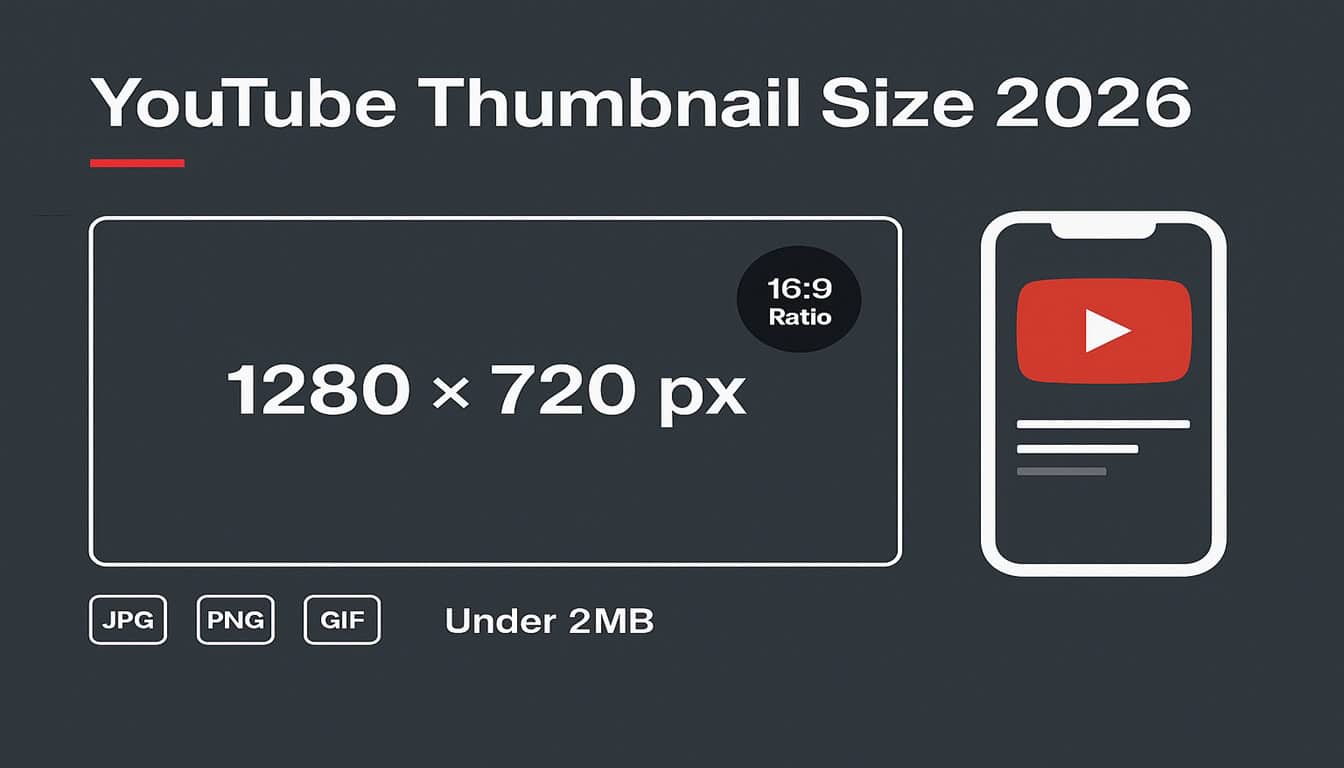
Quick answer (recommended specs):
- Size: 1280 × 720 px (minimum width 640 px)
- Aspect ratio: 16:9
- Formats: JPG, PNG, or GIF
- File size: Under 2MB (for videos)
In this guide, you’ll learn the correct dimensions, why “MaxRes / HQ” thumbnails behave differently, and how to create thumbnails that look sharp on mobile.
Want to grab any thumbnail instantly? Use our YouTube Thumbnail Downloader (download MaxRes, HQ, SD, and more in one click). (Internal link to your tool)
Recommended YouTube Thumbnail Size (Best Dimensions)
YouTube recommends uploading a thumbnail at 1280 × 720 pixels, using a 16:9 aspect ratio, with a minimum width of 640 pixels.
Why these exact numbers?
- 16:9 matches the standard YouTube player and preview layouts.
- 1280×720 stays sharp on modern screens (including phones and TVs).
- YouTube can scale down cleanly without blurring.
Pro tip: Even if you design bigger, YouTube will still display thumbnails in many different sizes. What matters most is that your thumbnail looks clear at small/mobile preview size.
File Size + Formats (What YouTube Accepts)
To avoid upload problems and blurry compression:
- Keep your thumbnail under 2MB for standard videos.
- Use JPG, PNG, or GIF.
Which format should you choose?
- JPG: Smaller file size, good for photos/faces.
- PNG: Sharper text and graphics (usually better for “bold text thumbnails”).
- GIF: Supported, but not necessary for most creators.
Best practice: If your thumbnail uses text, shapes, or logos → start with PNG, then compress carefully if file size is too big.
MaxRes vs HQ vs SD (Why Some Videos Don’t Have “4K” Thumbnails)
Creators often ask: “Why does one video show MaxRes, but another only has HQ?”
Here’s the reality:
- YouTube often generates multiple thumbnail versions for a video preview (MaxRes/HQ/SD/MQ).
- MaxRes isn’t always available — sometimes the highest generated version is HQ (usually 480×360) or similar.
This is why your downloader tool is powerful: it shows all available thumbnail versions so the user can pick the best one.
Important: The “best upload spec” for a custom thumbnail is still 1280×720.
“4K” is more of a marketing term people use for “highest available thumbnail,” not an official upload requirement.
Thumbnail Design Tips That Improve CTR
Correct size helps quality — but design improves clicks.
1) Use 1 clear idea (not 5 ideas)
Pick one message:
- Big result
- Big promise
- Big reaction
- Before/after
- Problem/solution
2) Make it readable on mobile
Most viewers are on phones. Keep text:
- Short (2–5 words)
- Bold
- High contrast
3) Use faces (when relevant)
Faces + emotion often increase CTR because humans read expressions instantly.
4) Add contrast + separation
Avoid muddy thumbnails:
- Bright subject + darker background
- Outline/glow for subject
- Clean background blur
5) Match the title (no mismatch)
If the thumbnail promises one thing and the title says another, viewers bounce fast — and that hurts.
Common Thumbnail Mistakes (That Kill Clicks)
Avoid these:
- Too much text (tiny, unreadable)
- Low contrast (everything blends)
- Clutter (10 objects competing)
- No clear subject
- Wrong crop (face cut off)
- Misleading promise
Simple rule: If your thumbnail still makes sense at 10% zoom, it’s probably good.
Download Any YouTube Thumbnail (Fastest Method)
If you want to download thumbnails from any public video:
- Copy the YouTube video URL
- Paste it into our YouTube Thumbnail Downloader (internal link)
- Download MaxRes/HQ/SD instantly (or download all as ZIP)
Next steps for full SEO workflow:
Generate a strong title using our YouTube Video Title Generator, and extract competitor keywords using our YouTube Tag Extractor.
Frequently Asked Questions (FAQ): YouTube Thumbnail Size
Q1: What is the best YouTube thumbnail size?
1280×720 pixels in a 16:9 ratio is recommended.
Q2: What image formats does YouTube support for thumbnails?
YouTube supports JPG, PNG, and GIF uploads for video thumbnails.
Q3: What is the maximum file size for a YouTube thumbnail?
For videos, thumbnails should remain under 2MB.
Q4: Why is MaxRes thumbnail not available for some videos?
Some videos simply don’t have a MaxRes version generated. Your best option is to download the highest available version (HQ/SD).
Q5: Does thumbnail size affect ranking?
Size alone won’t rank you. But better thumbnails improve CTR, and higher CTR often helps performance.
Q6: Can I download thumbnails from any YouTube video?
Yes — you can download thumbnails from public videos using a thumbnail downloader tool.
Q7: What’s the best thumbnail ratio for YouTube?
16:9 is the standard ratio used across YouTube players and previews.
1 thought on “YouTube Thumbnail Size 2026”