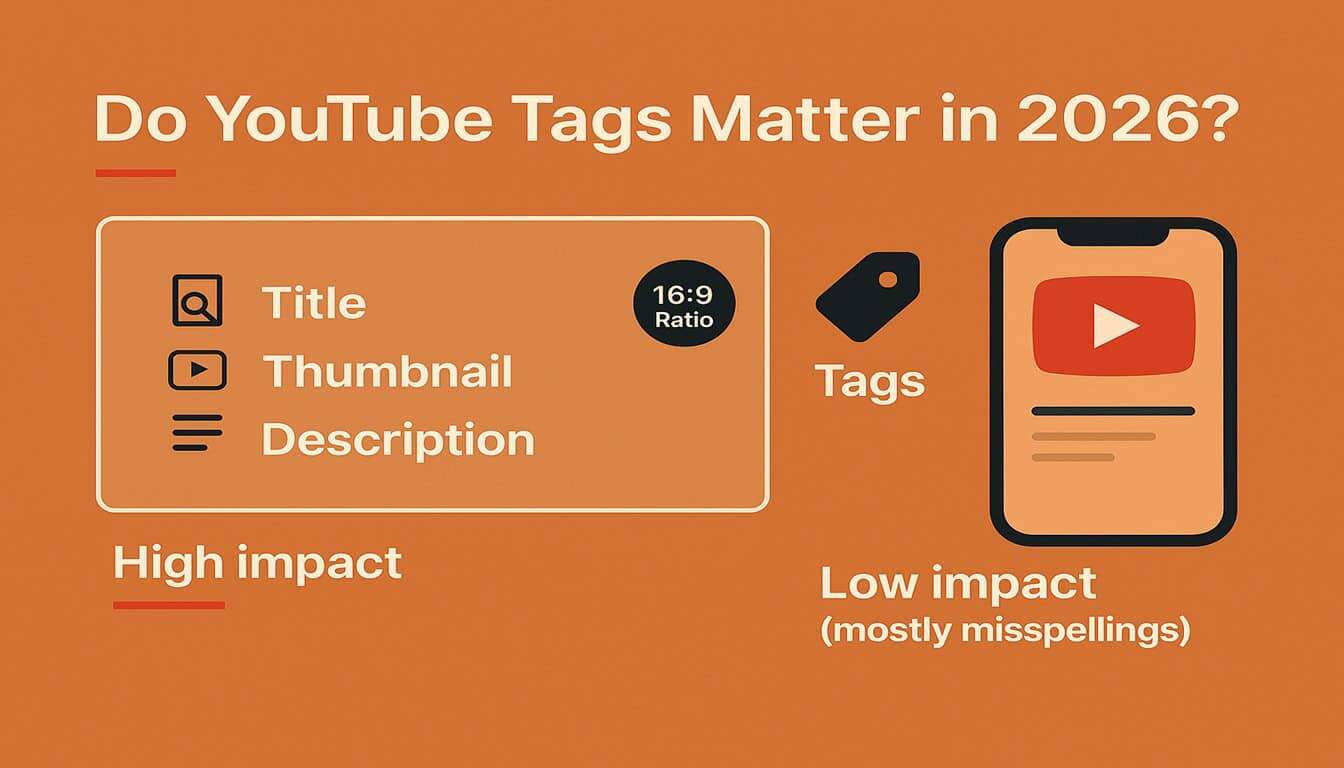
Do YouTube Tags Matter in 2026? The Truth + Best Practices
YouTube tags are one of the most misunderstood parts of YouTube SEO. Some creators treat tags like a magic ranking hack. Meanwhile, others ignore them completely.
So what’s the truth in 2026?
YouTube tags still matter a little—but not in the way people think. In most cases, tags won’t make or break your rankings. However, they can help YouTube understand your video when words are commonly misspelled, and they can support your workflow when you’re doing keyword research.
In this guide, you’ll learn:
- What YouTube tags actually do in 2026
- When tags help (and when they don’t)
- Best practices you can follow instantly
- How to use a YouTube tag extractor to copy competitor tags fast
- When a YouTube tag generator is useful (and when it’s not)
What YouTube Says About Tags in 2026
Here’s the important part: YouTube itself says tags play a minimal role in discovery for most videos. Tags are mainly helpful when the video topic is commonly misspelled.
In other words:
- If your topic is clear and not commonly misspelled → tags won’t move the needle much
- If your topic is often typed wrong (names, brands, slang) → tags can help YouTube connect searches to your video
Therefore, tags are not the “main ranking factor.” Instead, they’re a support signal.
When YouTube Tags Actually Help
Even though tags matter less today, they can still help in a few situations.
1) Misspellings and Alternate Spellings
If people search your topic with different spellings, tags can help YouTube match your video to those searches.
Examples:
- “capcut” vs “cap cut”
- “mrbeast” vs “mr beast”
- “photoshop” vs “photo shop”
2) Context When Your Title Isn’t Clear
Sometimes creators use short or clever titles. In that case, tags can add extra context behind the scenes.
3) Workflow and Planning
Tags can support your research process. For example, you can:
- Compare competitor tag patterns
- Discover long-tail variations
- Build a better title around the main phrase
So, tags can be useful for planning, even if they don’t directly boost rankings much.
When Tags Don’t Matter Much
Tags matter less when:
- Your title already clearly explains the topic
- Your thumbnail isn’t clickable
- Viewer retention is low
- Your content doesn’t match what the title promises
Also, YouTube highlights that title, thumbnail, and description are more important for discoverability than tags.
Best Practices for YouTube Tags in 2026
If you’re going to use tags (you should), use them the smart way.
Use these best practices:
First: Start with your main keyword
Put the exact topic phrase first (example: “youtube tags”).
Next: Add close variations
Include short variations and related phrases:
- “youtube tag extractor”
- “tag extractor youtube”
- “youtube video tags”
- “youtube seo tags”
Then: Add common misspellings
If your topic is often typed wrong, add 2–5 misspellings.
Finally: Add supporting context tags
Add a few supporting tags based on:
- tools used (CapCut, Premiere Pro, iPhone, etc.)
- audience intent (“tutorial”, “beginner”, “step by step”)
- niche terms (“dropshipping”, “valorant”, “real estate”, etc.)
✅ Tip: Keep tags relevant. If you add random trending tags, it can confuse YouTube’s understanding.
YouTube Tag Generator vs YouTube Tag Extractor
This is where many people get confused.
What a YouTube Tag Generator does
A YouTube tag generator suggests tags based on a keyword or topic.
It’s useful when:
- you’re brainstorming a new niche
- you want long-tail variations
- you want quick topic ideas
If you’re specifically looking for a free YouTube tag generator, the key is quality: the best generators focus on relevance, not random suggestions.
What a YouTube Tag Extractor does
A YouTube tag extractor shows tags that creators already use on public videos—especially competitors.
It’s useful when:
- you want real, proven tag patterns
- you want competitor keyword ideas
- you want to copy tags quickly for research
That’s why tag extractors are often more practical than generators—because you’re learning from what’s already working.
How to Copy Competitor Tags the Smart Way
Copying tags blindly is not the goal. Instead, you want to extract tags, analyze them, then rebuild a cleaner set.
Use this simple approach:
- Extract competitor tags
- Highlight repeated phrases
- Keep the relevant keywords
- Remove filler and unrelated terms
- Add your unique angle + long-tail variation
That way, you’re not just copying—you’re improving.
✅ If you want to do this fast, use a YouTube Tag Extractor to pull tags from any public video in seconds, then paste the best ones into your planning.
A Better Strategy Than “More Tags”
If your goal is growth, here’s the stronger formula:
- Use tags for context + misspellings
- Improve titles for CTR
- Improve thumbnails for clicks
- Match content to the promise for retention
Because in real YouTube growth, CTR + watch time beat tag stuffing every time.
Frequently Asked Questions (FAQ): YouTube Tags in 2026
Q1. Do YouTube tags help SEO?
They can help slightly, especially with context and misspellings, but they’re not a main ranking factor.
Q2. How many tags should I use?
Use enough to cover your main keyword, variations, and context. Usually 10–20 solid tags are better than 50 random ones.
Q3. Are YouTube tags important for Shorts?
They can still help with context and planning. However, Shorts performance depends more on swipe behavior and retention.
Q4. Should I use a YouTube tag generator?
Yes, if you need topic ideas or long-tail variations. Still, always choose relevant tags.
Q5. Should I use a YouTube tag extractor?
Yes, for competitor research. It’s one of the fastest ways to learn what creators are targeting.